VOTER DIGITAL SERVICE GUIDE 2026
Voter ID Correction Online 2026: Form 8 से Name, Address, Photo और Mobile Update Guide
Voter ID Correction Online के लिए Form 8 कब भरना है, कौन-से documents लगाने हैं, address change और name correction कैसे करना है तथा application status कैसे track करना है—यह complete Hindi guide हर step को सरल तरीके से समझाती है।
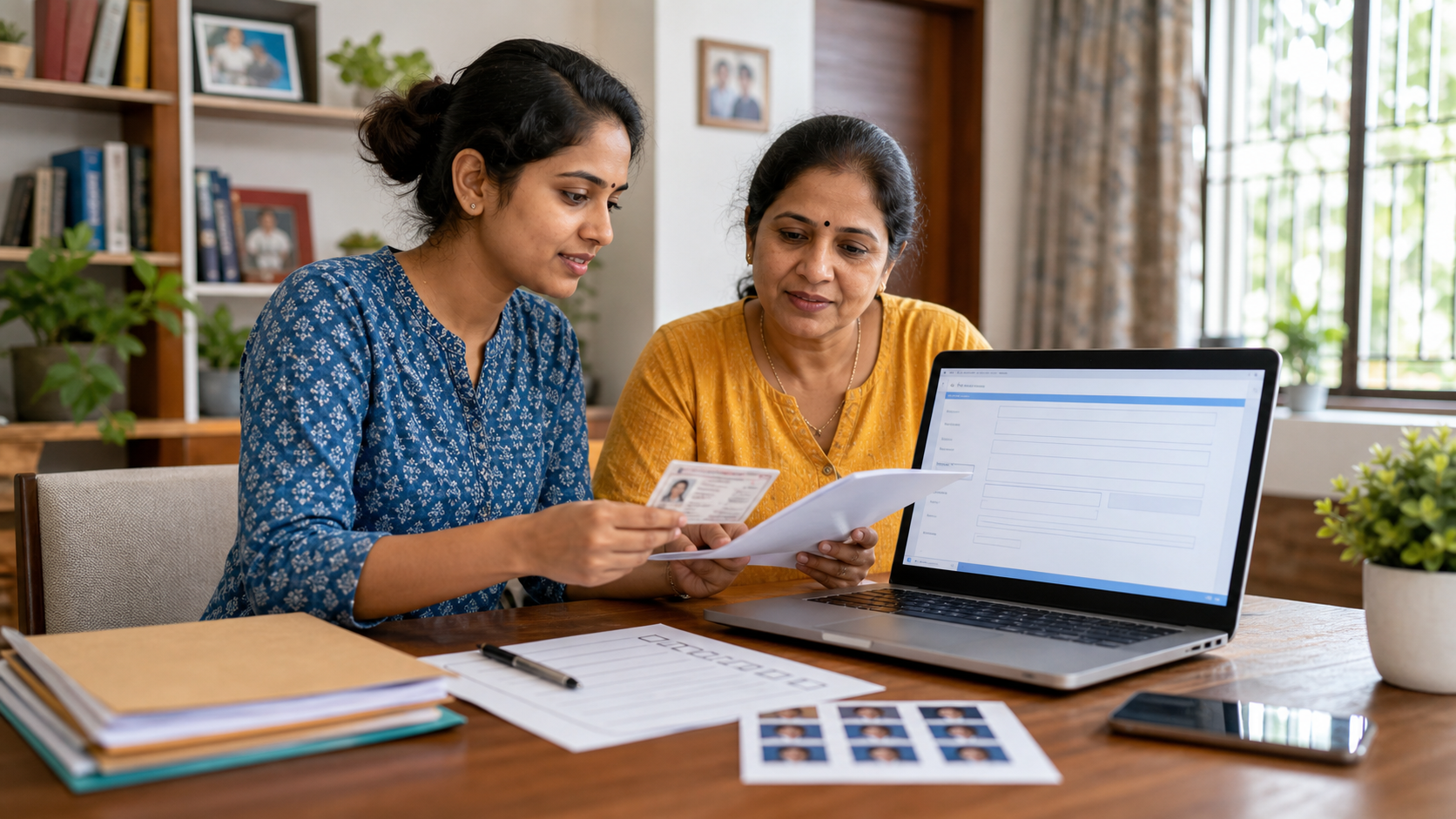
Voter ID Correction Online के लिए Form 8 क्या है?
Election Commission of India के current Form 8 का उपयोग enrolled voter द्वारा shifting of residence, existing electoral roll entry correction, replacement EPIC बिना correction और Person with Disability marking request के लिए किया जाता है। New voter registration के लिए Form 6 है; existing voter की correction के लिए Form 8। गलत form चुनने से delay या rejection हो सकता है।
Voter card यानी EPIC से अधिक महत्वपूर्ण electoral roll की entry है। Card पर detail दिखने और voter list record में detail सही होने के बीच फर्क समझें। Correction application Electoral Registration Officer के approval और आवश्यक verification पर निर्भर करती है। Online submission automatic approval नहीं है।
यह topic searchable क्यों है?
Current search और PAA-style queries में “Voter ID name correction online”, “address change Form 8”, “Form 8 documents”, “mobile number update”, “photo correction”, “application pending” और “status with reference ID” जैसे action-oriented searches दिखाई देते हैं। Users अक्सर Aadhaar और voter card name mismatch, relocation तथा BLO verification delay का solution चाहते हैं।
इस article का viewer intent form की definition नहीं, बल्कि सही option चुनना, supporting document लगाना और status follow-up करना है। इसलिए guide correction type के अनुसार अलग practical paths देती है।
Form 8 भरने से पहले क्या तैयार रखें?
- Existing EPIC number और electoral roll में current entry
- Active mobile number तथा email, यदि उपलब्ध हो
- जिस detail को बदलना है उसका valid supporting document
- Address shift के लिए accepted residence proof
- Photo बदलने के लिए recent passport-size colour photograph
- Clear scanned files और stable internet
- Application के बाद reference ID सुरक्षित रखने की व्यवस्था
| काम | Form | ध्यान रखें |
|---|---|---|
| पहली बार voter बनना | Form 6 | Form 8 नहीं |
| Existing entry correction | Form 8 | Correct field और proof |
| Residence shift | Form 8 | New address proof |
| Deletion/objection | Form 7 | Specific legal purpose |
| Overseas voter registration | Form 6A | Eligibility अलग |
Voter ID Correction Online 2026: Step-by-step
- Official voters.eci.gov.in portal खोलें और account login/register करें।
- EPIC number और electoral details verify करें। Duplicate new-voter application शुरू न करें।
- Form 8 चुनें और application purpose में एक सही option select करें।
- Correction option में केवल उन fields को चुनें जिन्हें बदलना है।
- Correct detail exactly supporting document के अनुसार लिखें।
- Required proof upload करें और image/PDF readable रखें।
- Declaration, place और date review करें। गलत information submit न करें।
- Preview में name, relation, address, constituency और documents दोबारा जांचें।
- Submit करके acknowledgement/reference number save करें।
- Track Application Status में reference ID से progress देखें।
Form 8 documents: correction type के अनुसार proof
Official Form 8 में address proof के उदाहरणों में कम-से-कम एक वर्ष का water/electricity/gas connection bill, Aadhaar card, current nationalised/scheduled bank या post-office passbook, Indian passport, land-owning record/Kisan Bahi, registered rent lease deed और registered sale deed शामिल हैं। Form में other document specify करने की जगह भी है। Current portal instructions को final मानें।
| Correction | उपयोगी proof का प्रकार | Quality check |
|---|---|---|
| Name/spelling | Correct name वाला valid official document | पूरा नाम readable |
| Date of birth/age | Accepted DOB proof | Date format साफ |
| Address shift | Form 8 में accepted residence proof | Applicant/address relation स्पष्ट |
| Photo | Recent passport-size colour photo | Face clear, neutral background |
| Replacement EPIC | Reason और portal-required details | Old EPIC number सही |
Self-attestation या upload format की current requirement portal पर देखें। Edited, cropped-to-hide-information या unreadable proof application कमजोर कर सकता है। Sensitive document केवल official portal पर upload करें।
Voter ID correction की 25 practical situations
हर situation में final decision ERO और official verification पर निर्भर है। नीचे सही option, proof और common mistake समझाए गए हैं।
1. Name spelling correction
Voter list में अक्षर, surname या sequence गलत हो तो correction option चुनें। Correct spelling supporting document से exactly match करें। केवल Aadhaar जैसा दिखाने के लिए बिना legal proof arbitrary नाम न बदलें।
Action: Voter ID Correction Online preview में old entry, requested new entry और uploaded proof तीनों को side-by-side compare करें।
2. Full legal name change
Marriage या legal name change में accepted supporting proof आवश्यक हो सकता है। Portal की current document list पढ़ें और Gazette/official record जैसी legal evidence की जरूरत ERO से verify करें।
Action: Voter ID Correction Online preview में old entry, requested new entry और uploaded proof तीनों को side-by-side compare करें।
3. Father or mother name correction
Relation name electoral roll में गलत हो तो संबंधित correction field और correct proof चुनें। Applicant तथा relative के records में spelling consistency रखें।
Action: Voter ID Correction Online preview में old entry, requested new entry और uploaded proof तीनों को side-by-side compare करें।
4. Husband name correction
Marriage-related relation detail बदलते समय correction purpose और supporting record carefully चुनें। यह new voter registration नहीं है।
Action: Voter ID Correction Online preview में old entry, requested new entry और uploaded proof तीनों को side-by-side compare करें।
5. Date of birth correction
DOB बदलना sensitive correction है। Exact date वाला accepted official proof दें। अनुमानित age और document date में contradiction rejection का कारण बन सकता है।
Action: Voter ID Correction Online preview में old entry, requested new entry और uploaded proof तीनों को side-by-side compare करें।
6. Age correction
Electoral roll age और DOB relation जांचें। Portal जिस format और proof को स्वीकार करे वही submit करें; calculator estimate को evidence न मानें।
Action: Voter ID Correction Online preview में old entry, requested new entry और uploaded proof तीनों को side-by-side compare करें।
7. Gender correction
Correct option और supporting record उपलब्ध हो तो upload करें। Sensitive personal details केवल official portal तथा authorised officer से साझा करें।
Action: Voter ID Correction Online preview में old entry, requested new entry और uploaded proof तीनों को side-by-side compare करें।
8. Photo change
Recent clear passport-size colour photograph उपयोग करें। Group photo, selfie crop, sunglasses या heavily edited image से बचें।
Action: Voter ID Correction Online preview में old entry, requested new entry और uploaded proof तीनों को side-by-side compare करें।
9. Mobile number update
Account contact और electoral record linking अलग हो सकते हैं। Form 8 में उपलब्ध correction option तथा OTP flow follow करें; old number unavailable हो तो official recovery देखें।
Action: Voter ID Correction Online preview में old entry, requested new entry और uploaded proof तीनों को side-by-side compare करें।
10. Email update
Active email दें ताकि communication मिल सके। Typo रोकने के लिए submit से पहले address पढ़ें और spam folder regularly देखें।
Action: Voter ID Correction Online preview में old entry, requested new entry और uploaded proof तीनों को side-by-side compare करें।
11. Address within same constituency
Residence shift option चुनें और new address का accepted proof लगाएं। Old address copy-paste न छोड़ें। House number, locality, post office और PIN code verify करें।
Action: Voter ID Correction Online preview में old entry, requested new entry और uploaded proof तीनों को side-by-side compare करें।
12. Address to another constituency
Shifting of residence के लिए Form 8 का current option follow करें। New constituency selection और address proof carefully देखें; duplicate enrolment नहीं होना चाहिए।
Action: Voter ID Correction Online preview में old entry, requested new entry और uploaded proof तीनों को side-by-side compare करें।
13. Another state relocation
Portal workflow new location के अनुसार fill करें और current official instructions follow करें। Previous entry तथा new residence का process ECI guidance से verify करें।
Action: Voter ID Correction Online preview में old entry, requested new entry और uploaded proof तीनों को side-by-side compare करें।
14. House number correction
छोटी address typo भी correct field में exact proof के अनुसार बदलें। केवल card print नहीं, electoral roll entry check करें।
Action: Voter ID Correction Online preview में old entry, requested new entry और uploaded proof तीनों को side-by-side compare करें।
15. Locality or PIN correction
Area, ward, post office और PIN code mismatch से polling-part mapping प्रभावित हो सकती है। Correct residence proof और full address दें।
Action: Voter ID Correction Online preview में old entry, requested new entry और uploaded proof तीनों को side-by-side compare करें।
16. EPIC damaged
Correction के बिना replacement EPIC option Form 8 में उपलब्ध है। Reason और required details सही भरें तथा old card return instructions approval के बाद follow करें।
Action: Voter ID Correction Online preview में old entry, requested new entry और uploaded proof तीनों को side-by-side compare करें।
17. EPIC lost
Replacement request में EPIC number और identity details तैयार रखें। Lost-card misuse concern हो तो local authority guidance भी लें।
Action: Voter ID Correction Online preview में old entry, requested new entry और uploaded proof तीनों को side-by-side compare करें।
18. Wrong EPIC number confusion
पहले electoral search से अपनी entry verify करें। किसी दूसरे voter के EPIC पर correction submit न करें। Similar names में address और relation detail match करें।
Action: Voter ID Correction Online preview में old entry, requested new entry और uploaded proof तीनों को side-by-side compare करें।
19. PwD marking request
Form 8 में Person with Disability marking request option है। Current supporting requirements और accessibility assistance ERO/BLO से पूछें।
Action: Voter ID Correction Online preview में old entry, requested new entry और uploaded proof तीनों को side-by-side compare करें।
20. Aadhaar name mismatch
Aadhaar और voter record mismatch दिखे तो किस source record को legally correct करना है तय करें। Aadhaar linking को automatic voter-name correction न मानें।
Action: Voter ID Correction Online preview में old entry, requested new entry और uploaded proof तीनों को side-by-side compare करें।
21. Multiple fields correction
Portal जितने fields allow करे उतने ही select करें और प्रत्येक के लिए consistent evidence रखें। बहुत से unrelated changes एक साथ करने से पहले BLO/ERO guidance उपयोगी है।
Action: Voter ID Correction Online preview में old entry, requested new entry और uploaded proof तीनों को side-by-side compare करें।
22. Application submitted with mistake
Submitted form editable न हो तो duplicate application तुरंत न बनाएं। Status, notice और official correction/withdrawal guidance देखें।
Action: Voter ID Correction Online preview में old entry, requested new entry और uploaded proof तीनों को side-by-side compare करें।
23. Application pending
Reference ID से status track करें। Verification workload अलग हो सकता है; कोई unofficial person instant approval के लिए payment मांगे तो मना करें।
Action: Voter ID Correction Online preview में old entry, requested new entry और uploaded proof तीनों को side-by-side compare करें।
24. BLO verification call
Caller की identity और application reference verify करें। Home visit/meeting की details official channel से confirm करें और original document बिना receipt न छोड़ें।
Action: Voter ID Correction Online preview में old entry, requested new entry और uploaded proof तीनों को side-by-side compare करें।
25. Correction approved but card not received
Electoral roll entry online verify करें और replacement EPIC delivery/download options current portal पर देखें। Card delay का अर्थ correction reject होना जरूरी नहीं।
Action: Voter ID Correction Online preview में old entry, requested new entry और uploaded proof तीनों को side-by-side compare करें।
Form 8 status कैसे track करें?
Official Voters’ Service Portal में Track Application Status option से reference ID के आधार पर progress देखी जा सकती है। Status wording समय के साथ बदल सकती है। Submitted, BLO appointed, field verified, accepted, rejected या notice जैसी stages दिख सकती हैं, लेकिन हर application समान गति से नहीं चलता।
| Status | सामान्य अर्थ | अगला कदम |
|---|---|---|
| Submitted | Application received | Reference ID रखें |
| Under Process | ERO/BLO workflow में | Phone/email देखें |
| Field Verification | Residence/detail check हो सकता है | Documents ready रखें |
| Notice | Clarification/document जरूरी | Deadline में official response |
| Accepted | Requested change approved | Electoral roll verify करें |
| Rejected | Reason के आधार पर decline | Reason पढ़ें, सही evidence से reapply |
Reference ID status न दिखाए तो digit/letter carefully re-enter करें, सही account और form history देखें। Screenshot लेकर official support या 1950 voter helpline से guidance लें। Random WhatsApp number को EPIC और documents न भेजें।
BLO verification के लिए तैयारी
Application copy, original supporting document और self-attested copy तैयार रखें। Verification का उद्देश्य entry की accuracy और ordinary residence check हो सकता है। Applicant unavailable हो तो family member क्या प्रस्तुत कर सकता है, यह official officer से पूछें। Approval के बदले cash न दें।
Voter ID Correction Online common errors और fixes
EPIC not found
EPIC letters/numbers, state और electoral search देखें। Old card पर print unclear हो तो voter list entry name/relative/location से खोजें।
Wrong constituency selected
Current residence और electoral roll location compare करें। Address shifting में new location mapping carefully चुनें।
Form 8 option नहीं खुल रहा
Login session, existing voter record linking और portal maintenance देखें। Updated browser या authorised app try करें।
OTP नहीं आया
Mobile number, signal, SMS inbox और resend gap जांचें। OTP किसी agent या caller को न बताएं।
Account already exists
Duplicate registration की बजाय login recovery या forgot password use करें। Multiple accounts application history छिपा सकते हैं।
Document upload failed
Portal का allowed format, size और file-name requirement देखें। Scan readable रखें और password-protected PDF से बचें यदि unsupported हो।
Photo rejected
Recent colour photograph, clear face, plain background और correct dimensions/size रखें। Edited या group photo न दें।
Name proof mismatch
Requested spelling और document spelling exactly compare करें। Different documents में अलग names हों तो legal correction strategy पहले तय करें।
Address proof applicant के नाम पर नहीं
Form 8 accepted proofs और relative/tenancy situations की current guidelines देखें। अनुमान से unrelated bill upload न करें।
Preview में Hindi/English spelling अलग
Transliteration auto-filled हो सकती है। दोनों scripts पढ़ें और correction field उपलब्ध हो तो proper spelling डालें।
Submit button disabled
Mandatory field, checkbox, document, place/date और declaration जांचें। Red error messages ऊपर-नीचे दोनों जगह देखें।
Session expired
Long answers और details पहले offline note करें। Stable network पर login करें और final submit से पहले preview रखें।
Reference ID नहीं मिला
Submission confirmation, registered SMS/email और application history देखें। Confirmation बिना form complete मानने से बचें।
Status लंबे समय से pending
Official status, notice और BLO assignment देखें। 1950 या ERO/BLO channel से reference ID के साथ follow-up करें।
Duplicate application in progress
एक application pending रहते दूसरा submit न करें। Existing request का status और official withdrawal/correction guidance लें।
BLO call नहीं आया
Verification हर case में समान नहीं होता। Registered contact active रखें और portal status follow करें।
Application rejected
Reason पढ़ें: proof, mismatch, residence या incomplete detail। वही गलती दोहराए बिना सही evidence के साथ next step लें।
Approved पर record गलत
Updated electoral roll और card दोनों verify करें। Remaining error के लिए fresh Form 8 या ERO guidance की जरूरत हो सकती है।
Online और offline Form 8 में क्या चुनें?
Online application convenient है और status tracking आसान हो सकती है। Offline Form 8 ERO/AERO/BLO office में free form के रूप में उपलब्ध हो सकता है तथा copies के साथ जमा किया जा सकता है। Internet access, complex document situation या portal error में offline assistance उपयोगी है। दोनों routes official हैं; approval standards अलग नहीं होने चाहिए।
| Online | Offline |
|---|---|
| घर से submit और reference tracking | Officer से form guidance |
| Scan/upload जरूरी | Physical copies जमा |
| Technical errors संभव | Office visit और timing जरूरी |
| Preview save करना आसान | Receipt/acknowledgement लेना जरूरी |
Cyber cafe इस्तेमाल करें तो password save न करें, documents recycle bin सहित delete कराएं और logout करें। Application भरने वाले operator को OTP स्वयं बताने/enter कराने की बजाय आप स्वयं official screen पर डालें।
Voter ID Correction Online quick checklist
Voter ID Correction Online शुरू करने से पहले electoral roll में existing entry search करें।
Voter ID Correction Online में new voter के लिए Form 6 और correction के लिए Form 8 का फर्क समझें।
Voter ID Correction Online address change में current accepted residence proof लगाएं।
Voter ID Correction Online name correction को supporting document से exact match करें।
Voter ID Correction Online photo update में recent clear colour photograph दें।
Voter ID Correction Online preview में Hindi और English entries दोनों पढ़ें।
Voter ID Correction Online submit करने के बाद reference ID तुरंत सुरक्षित करें।
Voter ID Correction Online status केवल official portal या app पर track करें।
Voter ID Correction Online verification के लिए original documents ready रखें।
Voter ID Correction Online approval के बदले किसी unofficial agent को payment न दें।
Voter ID Correction Online pending हो तो duplicate form बनाने से पहले status जांचें।
Voter ID Correction Online rejected हो तो reason पढ़कर proof सुधारें।
Family voter records audit कैसे करें?
हर family member का EPIC number, electoral-roll name, relation name, age/DOB, address, polling station और active contact detail अलग sheet में note करें। किसी document की public copy न रखें। चुनाव से बहुत पहले search करें, क्योंकि nomination deadline के पास correction समय सीमित हो सकता है।
Aadhaar, PAN और voter card में name sequence अलग हो तो सभी documents को एक जैसा करने की जल्दी में गलत correction न करें। Legal name, actual residence और accepted proof के आधार पर source-by-source plan बनाएं। Voter eligibility electoral roll entry से जुड़ी है; केवल physical card रखना पर्याप्त नहीं।
Approval के बाद updated electoral search करें और polling station detail देखें। Old EPIC return या replacement instructions Form 8 guidelines/ERO से follow करें।
Official links
Online application और status के लिए ECI Voters’ Service Portal उपयोग करें। Current rules समझने के लिए official Form 8 और Form 8 guidelines पढ़ें। Election guidance के लिए Election Commission FAQ देखें। अन्य digital guides हमारी शिक्षा और डिजिटल सेवाएं category में हैं।
Voter ID Correction Online FAQ
Voter ID correction के लिए कौन-सा form है?
Existing enrolled voter की correction, residence shifting, replacement EPIC और PwD marking request के लिए Form 8 उपयोग होता है।
New voter registration के लिए Form 8 है?
नहीं। General new voter registration के लिए Form 6 है।
Form 8 online कहाँ भरें?
Official voters.eci.gov.in portal या Election Commission के authorised app route से भरें।
Name correction में क्या proof चाहिए?
Correct name दिखाने वाला portal-accepted official document लगाएं। Legal name change में additional valid proof आवश्यक हो सकता है।
Address change के accepted documents क्या हैं?
Official Form 8 में utility bill, Aadhaar, bank/post-office passbook, passport, land record, registered rent deed और sale deed जैसे examples हैं। Current instructions देखें।
क्या Aadhaar mandatory है?
Current Form 8 में Aadhaar detail या Aadhaar उपलब्ध न होने का विकल्प दिखता है। Portal के current instructions follow करें।
Mobile number कैसे update करें?
Form 8 में उपलब्ध correction options और official OTP/login workflow देखें। Account mobile और electoral contact अलग contexts हो सकते हैं।
Form 8 status कैसे track करें?
Official portal के Track Application Status में acknowledgement/reference ID enter करें।
Application कितने दिन में approve होती है?
Fixed universal timeline guarantee नहीं की जा सकती। Verification, workload, notice और documents पर समय निर्भर करता है।
BLO verification जरूरी है?
ERO आवश्यक verification तय कर सकता है। हर application का workflow समान नहीं होता।
Form 8 rejected हो जाए तो क्या करें?
Rejection reason पढ़ें, incorrect detail या proof सुधारें और official guidance के अनुसार next application करें।
Correction approved होने के बाद क्या करें?
Updated electoral roll entry, EPIC details और polling station verify करें। Replacement card instructions follow करें।
Offline correction संभव है?
हाँ। Form 8 relevant ERO/AERO/BLO office में supporting copies के साथ जमा किया जा सकता है। Acknowledgement लें।
क्या agent को payment देना जरूरी है?
Official form assistance के नाम पर approval fee मांगना warning sign है। Prescribed official charges हों तो receipt लें।
एक साथ कई details बदल सकते हैं?
Portal जितने correction fields allow करे, उनके लिए consistent evidence दें। Complex changes में ERO guidance लें।
निष्कर्ष
Voter ID Correction Online में सफलता का आधार सही Form 8 option, readable supporting document, accurate preview और reference-ID tracking है। New voter के लिए Form 6 तथा existing voter correction के लिए Form 8 का फर्क याद रखें। Approval के बाद card ही नहीं, electoral roll entry भी verify करें।
Editorial note: Portal interface, document requirements और local verification process बदल सकते हैं। Final application से पहले official Form 8, ECI guidelines और responsible ERO instructions देखें।
Name correction और legal name change में अंतर
मतदाता सूची में spelling की छोटी गलती सुधारना और कानूनी रूप से अपना नाम बदलना दो अलग स्थितियां हैं। यदि नाम के एक-दो अक्षर गलत हैं, उपनाम छूट गया है या हिंदी-अंग्रेजी transliteration सही नहीं है, तो Form 8 के correction विकल्प के साथ ऐसा दस्तावेज लगाएं जिसमें सही नाम साफ दिखाई देता हो। आवेदन में वही spelling रखें जो आपके मुख्य पहचान दस्तावेजों में लगातार इस्तेमाल होती है।
विवाह, तलाक, adoption या gazette के बाद पूरा नाम बदलने के मामले में supporting document अधिक महत्वपूर्ण हो जाता है। केवल Aadhaar में नया नाम देखकर यह न मानें कि electoral roll अपने-आप बदल जाएगा। आवेदन का कारण संक्षेप में लिखें और ऐसा प्रमाण चुनें जो पुराने तथा नए नाम के संबंध को समझने में अधिकारी की मदद करे। राज्य और मामले के अनुसार अतिरिक्त verification मांगा जा सकता है।
कौन-सा नाम लिखना बेहतर है?
वही नाम लिखें जिसका उपयोग आप लगातार और आधिकारिक रूप से करते हैं। सम्मानसूचक शब्द, अनावश्यक initials या nickname जोड़ने से भविष्य में पहचान मिलान कठिन हो सकता है। पिता, माता या पति के नाम में correction चाहते हैं तो संबंधित field और उपलब्ध प्रमाण ध्यान से चुनें। हर बदलाव के लिए अलग-अलग अनुमान लगाने के बजाय पूरे record का एक साथ audit करें।
Address change: एक ही क्षेत्र, दूसरी constituency और दूसरे राज्य के मामले
घर बदलने पर मतदाता अक्सर पुराने address में correction और नए address पर fresh registration के बीच उलझ जाते हैं। Form 8 में shifting of residence का विकल्प इसी काम के लिए है। इसका उद्देश्य पुराने electoral record को नए सामान्य निवास से जोड़ना है, ताकि एक व्यक्ति का नाम दो जगह सक्रिय न रहे।
उसी मकान या गली में सुधार
House number, ward, street या locality की typing mistake हो तो correction चुनें। ऐसा address proof दें जिसमें वर्तमान पता स्पष्ट हो।
उसी constituency में नया घर
Shifting of residence चुनें। नया पूरा पता, PIN code और परिवार के registered voter का विवरण उपलब्ध हो तो सही भरें।
दूसरी constituency में जाना
नए सामान्य निवास के आधार पर shifting request दें। पुराने और नए दोनों स्थान पर अलग registration रखने का प्रयास न करें।
दूसरे राज्य में जाना
नए राज्य के पते और उपलब्ध residence proof के साथ आवेदन करें। processing के दौरान BLO verification संभव है।
किरायेदार भी सामान्य निवास के आधार पर आवेदन कर सकते हैं; मकान का मालिक होना मतदाता बनने की अनिवार्य शर्त नहीं है। लेकिन दिया गया address वास्तविक और verify होने योग्य होना चाहिए। दस्तावेजों की स्वीकार्यता official portal और स्थानीय election office की current instructions के अनुसार देखें।
Submit होने के बाद गलती दिखे तो क्या करें?
Application submit होने के बाद edit button हर stage पर उपलब्ध हो, यह जरूरी नहीं है। सबसे पहले reference number सुरक्षित करें और status देखें। यदि request processing में चली गई है तो बिना सोचे कई duplicate applications जमा करने से बचें। Duplicate requests से verification धीमा हो सकता है और अधिकारी को यह समझने में कठिनाई हो सकती है कि सही विवरण कौन-सा है।
- Screenshot लें: गलत field और application reference का record रखें।
- Status पढ़ें: submitted, BLO appointed, field verified, accepted या rejected जैसी स्थिति note करें।
- Official support लें: portal help, Voter Helpline 1950 या local election office से current remedy पूछें।
- नई request तभी दें: जब पहली request dispose/reject हो जाए या अधिकारी स्पष्ट सलाह दे।
- Final roll verify करें: approval message मिलने के बाद electoral search में नाम और विवरण दोबारा देखें।
यदि application reject हो जाए तो rejection reason सबसे मूल्यवान जानकारी है। वही document फिर से upload करने या वही गलती दोहराने के बजाय reason के अनुसार नया, स्पष्ट और relevant proof लगाएं। अस्पष्ट scan, mismatched address, अधूरा नाम या unsupported file common कारण हो सकते हैं।
Cyber cafe या mobile से आवेदन करते समय privacy कैसे बचाएं?
Voter ID correction में personal data, address proof और पहचान दस्तावेज शामिल होते हैं। इसलिए application की सुविधा जितनी महत्वपूर्ण है, document privacy भी उतनी ही जरूरी है। अपना OTP किसी अनजान व्यक्ति को स्थायी रूप से न दें और काम पूरा होने के बाद shared computer से downloaded files हटाएं। लेकिन browser history या files हटाने से पहले सुनिश्चित करें कि application receipt और reference number आपके पास सुरक्षित हैं।
Official website पहचानें
Address bar में voters.eci.gov.in देखें। sponsored या look-alike website पर documents upload न करें।
Password अलग रखें
Portal password को email, banking या social account के password जैसा न रखें।
OTP control
OTP स्वयं पढ़कर दर्ज करें। फोन cyber-cafe operator के पास छोड़कर बाहर न जाएं।
Document watermark
जहां स्वीकार्य हो, copy पर उद्देश्य लिख सकते हैं; लेकिन document के जरूरी text को ढकें नहीं।
Receipt अपने पास
Application number अपने phone या सुरक्षित notebook में रखें, केवल operator की chat पर निर्भर न रहें।
Logout जरूर करें
काम पूरा होने पर portal logout करें और shared browser में password save न होने दें।
WhatsApp group, Telegram channel या social-media comment में EPIC number, mobile number और address proof सार्वजनिक रूप से साझा न करें। सहायता चाहिए तो official helpline या verified election office का उपयोग करें। कोई व्यक्ति approval की guarantee देकर पैसे मांगे तो सावधान रहें; official प्रक्रिया के लिए केवल आधिकारिक निर्देशों पर भरोसा करें।
परिवार के सभी Voter ID records का 7-day audit plan
एक ही परिवार में अलग-अलग spelling, पुराने addresses और missing mobile links मिलना सामान्य है। चुनाव से ठीक पहले सबकुछ सुधारने के बजाय सात दिनों में व्यवस्थित audit करें। यह छोटा plan documents खोजने, errors पहचानने और duplicate applications से बचने में मदद करता है।
| दिन | काम | परिणाम |
|---|---|---|
| Day 1 | सभी eligible family members का electoral search करें | नाम मौजूद/गायब की सूची |
| Day 2 | Name, age, relation और gender compare करें | Correction fields तय |
| Day 3 | Current address और polling area देखें | Shifting cases अलग |
| Day 4 | हर व्यक्ति के documents scan करें | Readable files तैयार |
| Day 5 | एक-एक करके Form 8 submit करें | अलग reference numbers |
| Day 6 | Receipts और screenshots व्यवस्थित करें | Tracking folder तैयार |
| Day 7 | Status reminder और BLO contact note करें | Follow-up calendar तैयार |
परिवार के documents को नाम के अनुसार folder में रखें। जैसे “Mohan-Form8-2026” और “Sita-AddressProof”। इससे गलत व्यक्ति का proof upload होने की संभावना घटती है। एक मोबाइल नंबर से कई family records संभालते समय reference numbers को व्यक्ति के नाम से label करना खास तौर पर जरूरी है।
Approval के बाद election-ready checklist
Form 8 approval अंतिम कदम नहीं है। आपका लक्ष्य केवल portal पर “accepted” देखना नहीं, बल्कि electoral roll में सही record और सही polling details सुनिश्चित करना होना चाहिए। चुनाव घोषित होने के बाद polling station बदल सकता है या supplementary roll update हो सकता है, इसलिए मतदान से पहले fresh search करें।
- Electoral search में अपना नाम और EPIC number जांचें।
- नाम की हिंदी और अंग्रेजी spelling पढ़ें।
- Assembly constituency, part number और serial number note करें।
- Polling station का address और route पहले से देखें।
- परिवार के हर eligible member का record अलग verify करें।
- e-EPIC उपलब्ध हो तो official source से download करें।
- मतदान के लिए ECI द्वारा स्वीकृत पहचान दस्तावेजों की current list देखें।
- गलत जानकारी दिखे तो अंतिम तारीख का इंतजार न करें।
पाठकों के 10 practical questions: सीधा समाधान
Card सही, roll गलत
Current electoral roll को प्राथमिकता देकर Form 8 correction request दें और updated entry verify करें।
Roll सही, card पुराना
Replacement EPIC का उचित विकल्प देखें; पहले current roll details का screenshot रखें।
Marriage के बाद surname बदला
सही supporting document के साथ name correction करें; हिंदी-अंग्रेजी दोनों spellings जांचें।
घर बदल गया, family वहीं है
केवल shifted व्यक्ति के लिए residence shifting request दें; बाकी records बिना कारण न बदलें।
Photo बहुत पुरानी है
Recent, clear, front-facing photo और portal के file rules के अनुसार upload करें।
Mobile number बंद है
Official portal में उपलब्ध update/correction flow चुनें और OTP access वाला active number रखें।
BLO call नहीं आया
Status check करें; हर case में phone call जरूरी नहीं। जरूरत पर official local contact से पूछें।
Application कई दिन pending
Reference number के साथ 1950 या ERO office से follow-up करें; duplicate request न बनाएं।
Document में initials हैं
Application में consistent official form रखें और mismatch समझाने वाला सबसे उपयुक्त proof दें।
गलत constituency दिख रही
Current address और constituency mapping verify कर shifting/correction का सही विकल्प चुनें।
Voter ID correction के बाद record कब दोबारा जांचें?
Application approve होने के 24 घंटे बाद ही हर database में बदलाव दिखे, यह जरूरी नहीं है। इसलिए approval की तारीख, reference number और updated electoral search का screenshot अलग-अलग सुरक्षित रखें। पहली जांच approval के बाद करें, दूसरी जांच चुनाव कार्यक्रम घोषित होने पर और तीसरी जांच मतदान से कुछ दिन पहले करें। यदि नाम सही है लेकिन polling station या part number बदला दिखे तो घबराएं नहीं; delimitation, rationalisation या polling-station arrangement के कारण बदलाव संभव है। हमेशा current official search result को आधार बनाएं।
इस guide का सबसे उपयोगी तरीका यह है कि आवेदन भरते समय इसे checklist की तरह खोलकर रखें। पहले correction का सही प्रकार चुनें, फिर साफ document तैयार करें, preview पढ़ें और submit करने के बाद acknowledgement सुरक्षित करें। किसी unofficial agent की “तुरंत approval” guarantee पर भरोसा न करें। आवश्यकता होने पर Voter Helpline 1950, संबंधित ERO office या official portal की सहायता लें। नियम, document list और interface समय के साथ बदल सकते हैं, इसलिए final submission से पहले portal पर दिखाई गई current instructions को प्राथमिक मानें।





