CPGRAMS Portal Complaint कैसे करें—Registration, Status, 21-Day Time Limit, Poor Rating और Appeal Guide
CPGRAMS portal complaint सही department को file करें, registration ID बचाएं, status और Action Taken Report देखें तथा असंतोषजनक closure पर Poor feedback देकर eligible appeal समय पर submit करें।
CPGRAMS Portal Complaint क्या है?
CPGRAMS का full form Centralised Public Grievance Redress and Monitoring System है। यह citizens को public-service delivery से जुड़ी grievances Ministries, Departments, States और connected organisations तक भेजने और status track करने का online platform देता है। DARPG monitoring और coordination करता है, लेकिन substantive redress संबंधित ministry/department decentralized तरीके से करता है।
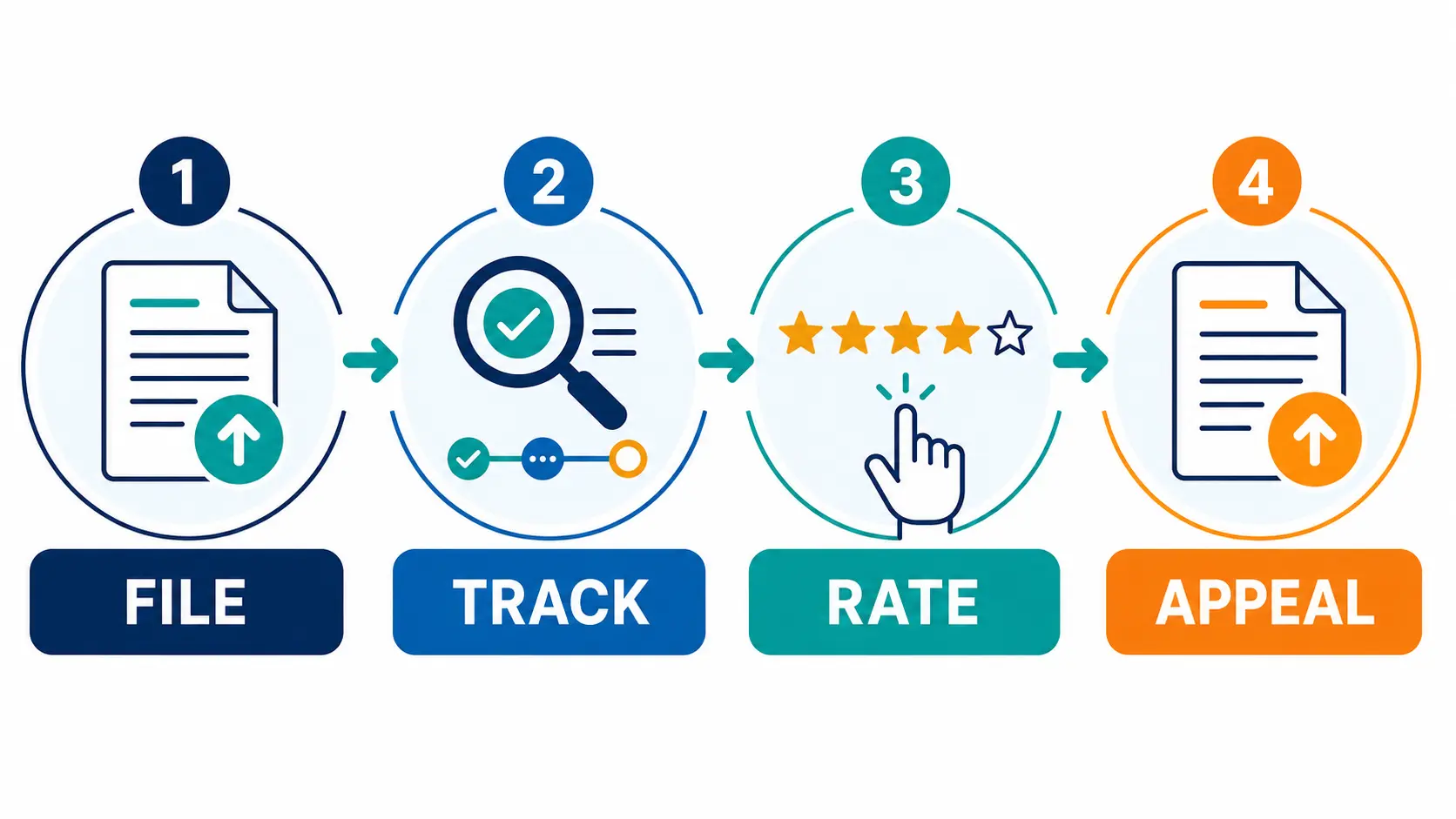
CPGRAMS में कौन-सी Complaint File करनी चाहिए?
उपयुक्त examples
- Government service delivery में delay
- Scheme/application processing problem
- Department से response न मिलना
- Pension/service-delivery grievance के applicable route
- Official process का unfair/incomplete handling
यहां file न करें
- RTI matters
- Court/subjudice matter
- Personal/family dispute
- Religious matter
- Statutory appeal को CPGRAMS से replace करना
Government employees के service/disciplinary matters सामान्यतः तभी consider होते हैं जब prescribed departmental channels exhausted हों। State grievance भेजी जा सकती है, लेकिन pendency के लिए संबंधित State Government route भी follow करना पड़ सकता है।
Complaint से पहले Evidence Checklist
- Service/application/reference number
- Department और office का सही नाम
- घटना की dates और short chronology
- पहले किए representation का proof
- Relevant readable documents
- Expected specific relief
- Active mobile और email
- Sensitive data masked copy
Complaint को essay न बनाएं। पहले 3–5 lines में बताएं: क्या हुआ, कब हुआ, कौन-सा office responsible है, आपने पहले क्या किया और अब कौन-सा specific action चाहते हैं। Password, OTP, full bank/card details या unnecessary Aadhaar copy upload न करें।
CPGRAMS Portal Complaint कैसे File करें?
pgportal.gov.in verify करें। Search-ad, lookalike domain या paid agent से शुरुआत न करें।Officer/admin login government users के लिए है। Citizen registration में active mobile/email और requested profile details भरें।
Pension-specific issue हो तो relevant pension grievance route अलग हो सकता है। Screen पर correct service चुनें।
Service owner की official website/receipt देखकर hierarchy चुनें। Wrong authority disposal और delay का common कारण बन सकती है।
Dates, reference number, unresolved action और requested relief facts के साथ लिखें; accusations और unrelated history से बचें।
Readable, relevant files upload करें। File limits और formats current screen से check करें; fake या altered document न लगाएं।
Name, department, facts, attachment और contact details दोबारा पढ़ें। Submit बार-बार न दबाएं।
Acknowledgement download/screenshot करें और ID को secure notes में रखें; यही tracking और follow-up का key है।
Copy-Ready Complaint Structure
यह universal legal format नहीं है। Facts और relief अपने case के अनुसार बदलें; किसी statutory deadline या court remedy को CPGRAMS filing से extended न मानें।
CPGRAMS Complaint Status कैसे Check करें?
Official View Status page पर registration number, registered email/mobile और captcha enter करें। Portal के अनुसार unique registration ID से grievance track की जा सकती है।
| दिखने वाली स्थिति | क्या check करें | Next action |
|---|---|---|
| Pending/Under process | Routing, latest update, elapsed days | 21-day guidance और available reminder/clarification देखें |
| Forwarded | किस authority को भेजा | Correct service owner है या नहीं verify करें |
| Clarification requested | Exact missing fact/document | Deadline के भीतर targeted reply दें |
| Disposed/Closed | Action Taken Report और attachment | Relief से compare करके feedback दें |
| Appeal pending | Appeal number/current authority | Official appeal-status page track करें |
CPGRAMS Complaint की 21-Day Time Limit क्या है?
Official FAQ redressal time 21 days बताती है। Delay होने पर कारण सहित interim reply अपेक्षित है। इसे guaranteed resolution date न समझें; complex case, routing या departmental dependency समय प्रभावित कर सकती है। 21 days के बाद non-redressal हो तो concerned ministry/department के Director of Public Grievances का route check करें।
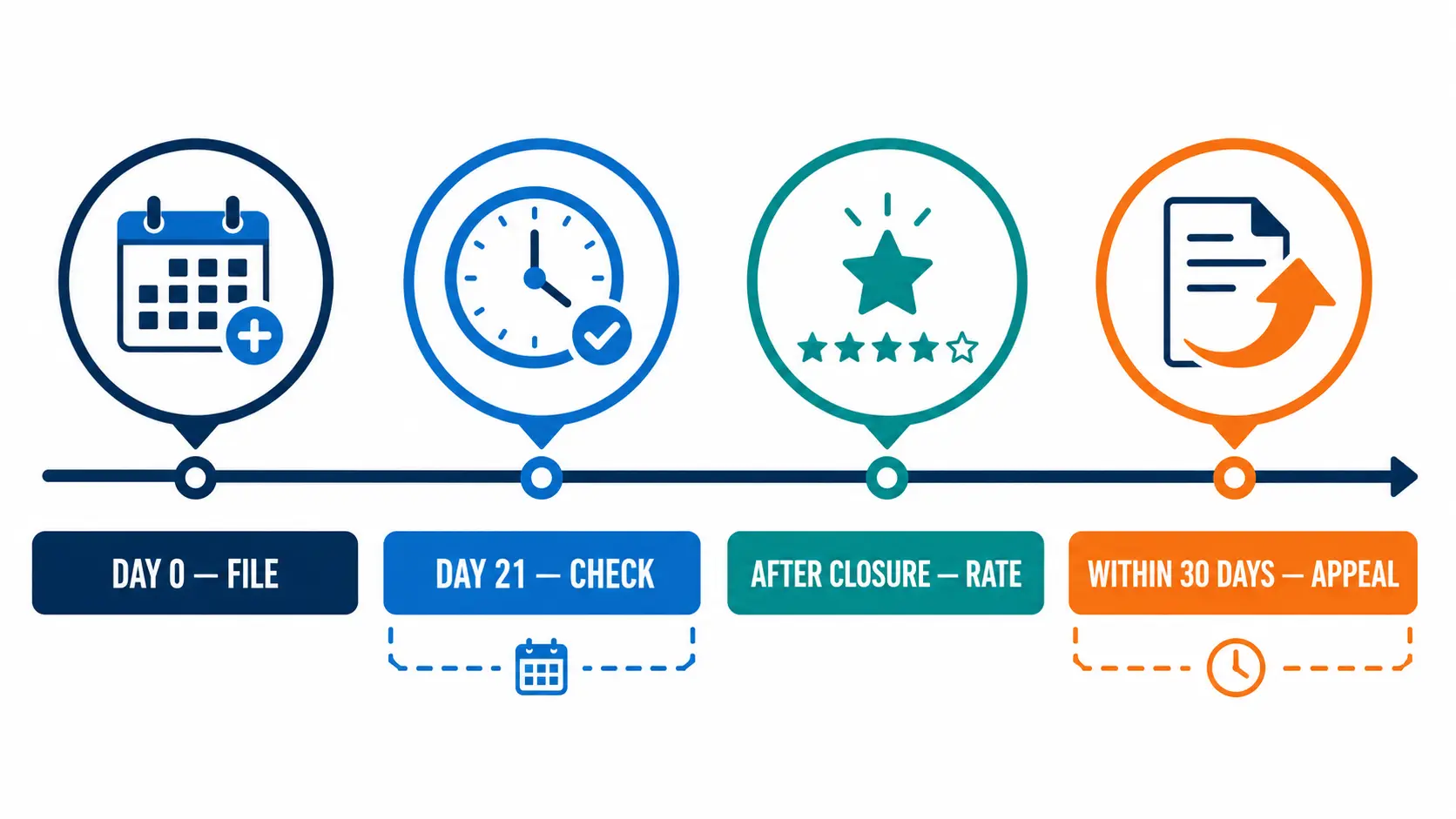
| Clock | Use |
|---|---|
| Day 0 | Successful submission और ID save |
| During processing | Status, routing और clarification check |
| Around 21 days | Resolution या delay का reasoned interim reply देखें |
| After disposal | Action Taken Report audit और honest feedback |
| Within 30 days | Dissatisfied, eligible closure की appeal submit करें |
Action Taken Report को 6 Points पर Check करें
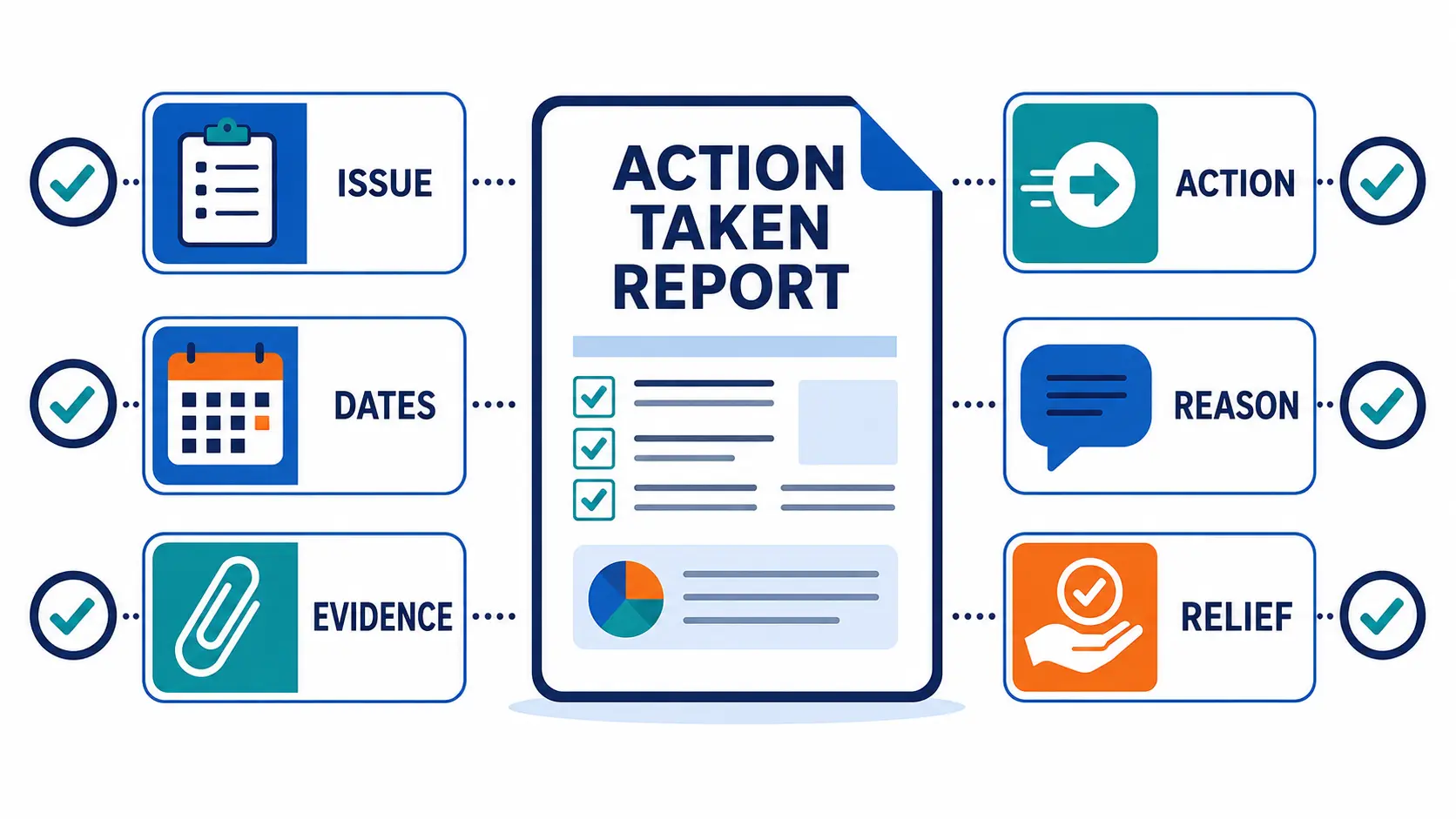
- क्या report आपकी exact grievance पहचानती है?
- क्या हर important date/reference consider हुआ?
- क्या responsible office ने specific action बताया?
- क्या closure केवल “matter examined” जैसा template response है?
- क्या attached order/document readable और relevant है?
- क्या आपने मांगा relief मिला, reasoned refusal मिला या core issue unanswered है?
Closure में details post से भेजने की बात हो तो official FAQ postal delivery await करने की सलाह देती है। बिना report पढ़े तुरंत duplicate grievance file करना record को confuse कर सकता है।
Poor Rating देकर CPGRAMS Appeal कैसे File करें?
Registration ID से status और complete Action Taken Report पढ़ें।
Resolution वास्तव में unsatisfactory हो तो honest Poor rating चुनें और concise reason लिखें।
Current homepage के अनुसार Poor rating पर eligible grievance में appeal option enable होता है। हर category में option दिखना guaranteed नहीं है।
Original complaint repeat न करें; closure ने कौन-सा specific fact/evidence/relief address नहीं किया, वही बताएं।
Official FAQ dissatisfied grievance की appeal disposal के 30 days के भीतर file करने को कहती है।
Appeal Status page appeal number, registered email/mobile और captcha मांगती है।
Copy-Ready Appeal Framework
CPGRAMS Portal Problem: Cause और Safe Fix
| Problem | पहला check | Safe fix |
|---|---|---|
| OTP नहीं आया | Registered number/email, network, spam | Resend gap रखें; duplicate account न बनाएं |
| Officer login खुल गया | Wrong role/page | Citizen Register/Login route पर लौटें |
| Department नहीं मिल रहा | Service owner/hierarchy | Official receipt/department site से authority पहचानें |
| Upload failed | Size, format, filename, network | Readable allowed file बनाकर fresh session में retry करें |
| Status नहीं खुल रहा | ID, email/mobile, captcha | Acknowledgement से exact details copy करें |
| Appeal option missing | Closure type, feedback, eligibility | FAQ/helpdesk देखें; missing-detail case में closed ID refer करके fresh grievance route लागू हो सकता है |
| Wrong department disposal | Routing and service owner | Eligible appeal में gap दिखाएं या correct authority को referenced fresh grievance दें |
| Agent fee मांगता है | Government filing fee | Portal filing free है; CSC assistance charge को government grievance fee न मानें |
CPGRAMS, RTI और Consumer Complaint में अंतर
| आपको क्या चाहिए? | सामान्यतः सही route |
|---|---|
| Government service failure का administrative redress | Department grievance/CPGRAMS |
| Existing government record, file noting या information | RTI |
| CIC में RTI Second Appeal | Satirtha AppCoMS guide और official CIC route |
| Private seller/service-provider consumer dispute | Applicable consumer grievance/regulator/commission route |
| UMANG से government service access | Satirtha UMANG App guide |
| Statutory order challenge | उस law/rule में prescribed appeal/review |
CPGRAMS filing किसी court, tribunal, departmental या statutory limitation period को रोकती या बढ़ाती है—ऐसा assume न करें।
Mobile पर MyGrievance App Use करना चाहिए?
Official Google Play listing के अनुसार MyGrievance app NIC और DARPG collaboration से PGPORTAL grievances lodge/monitor करने के लिए है। इसमें sign-up, dashboard, pending/disposed categories, tracking, reminder और feedback features बताए गए हैं। Install से पहले developer, official website link और current permissions/data-safety disclosure पढ़ें। Shared phone पर sensitive document छोड़ने से बचें।
Frequently Asked Questions
CPGRAMS portal complaint कैसे करें?
pgportal.gov.in पर citizen registration/login करें, Lodge Public Grievance खोलें, सही ministry/department चुनें, concise grievance व evidence submit करें और registration ID save करें।
CPGRAMS complaint की fee कितनी है?
Official portal के अनुसार government grievance filing fee नहीं लेती। CSC को दी गई assistance charge government filing fee नहीं है।
CPGRAMS complaint कितने दिन में solve होती है?
Official FAQ सामान्य redressal time 21 days बताती है। Delay में reasons सहित interim reply अपेक्षित है; यह guaranteed outcome date नहीं है।
CPGRAMS complaint status कैसे check करें?
View Status page पर registration number, registered email/mobile और captcha enter करें।
Disposed grievance फिर से open हो सकती है?
Current portal dissatisfied closure में feedback और eligible appeal देता है। FAQ में closed grievance को सीधे reopen न करके missing details के लिए closed reference सहित fresh grievance का route भी बताया गया है। Case में available current option follow करें।
Poor rating देने के बाद क्या होता है?
Current homepage के अनुसार Poor rating पर eligible case में appeal option enable हो सकता है। Appeal अलग submit करके number save करें।
CPGRAMS appeal कितने दिन में file करनी है?
Official FAQ disposal के 30 days के भीतर appeal file करने को कहती है।
क्या RTI complaint CPGRAMS में file कर सकते हैं?
नहीं। Official exclusions में RTI matters शामिल हैं; RTI और उसकी appeals के prescribed portal/authority का उपयोग करें।
CPGRAMS email से complaint भेज सकते हैं?
Current homepage कहती है कि email grievance entertain नहीं होगी। Portal या recognised offline filing route use करें।
Registration ID खो जाए तो क्या करें?
Portal account/dashboard, acknowledgement email/SMS और downloaded receipt देखें। Public status tool exact registration ID मांगता है।





