DIGITAL HEALTH SERVICE GUIDE 2026
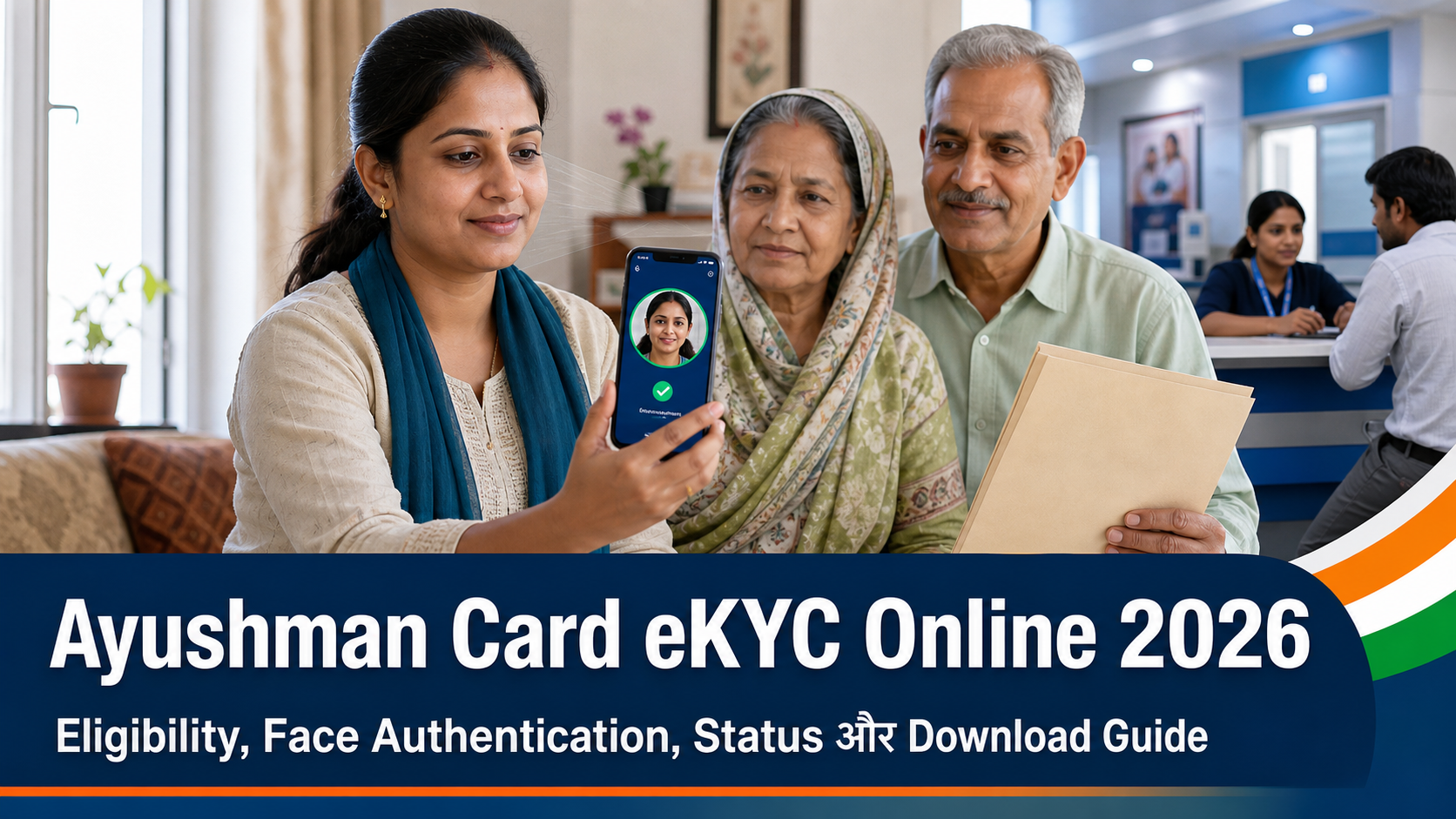
Ayushman Card eKYC Online 2026: Eligibility, Face Authentication, Status और Download Guide
Ayushman Card eKYC Online process में beneficiary search, family/member selection, Aadhaar verification, face authentication, card approval और download तक कई stages होते हैं। यह guide हर step, common error और सुरक्षित solution को सरल हिंदी में समझाती है।
Ayushman Card eKYC क्या है?
eKYC beneficiary की digital identity verification है। इसका उद्देश्य यह confirm करना है कि scheme database में दिख रहा व्यक्ति वही beneficiary है जो card बनवाना चाहता है। eKYC पूरा होना eligibility पैदा नहीं करता; पहले व्यक्ति या परिवार का नाम applicable PM-JAY/state beneficiary database में होना आवश्यक है।
Ayushman Card, ABHA number और सामान्य health insurance card एक ही चीज नहीं हैं। Ayushman Card PM-JAY या linked state implementation के eligible beneficiary की पहचान से जुड़ा है, जबकि ABHA digital health records ecosystem की identity है। Search intent में दोनों अक्सर मिल जाते हैं, इसलिए article में सही distinction रखना जरूरी है।
2026 में यह topic trending क्यों है?
National Health Authority की official Ayushman App listing July 2026 में update हुई और कुछ regions में eKYC availability का विस्तार हुआ। साथ ही June 2026 digital-health initiatives ने eligibility verification, card services, hospital discovery और beneficiary support को नए apps/chatbot experiences से जोड़ने पर जोर दिया। इसलिए users “Ayushman card KYC कैसे करें”, “face auth failed”, “pending status”, “name not found” और “card download” जैसे high-intent queries search कर रहे हैं।
Immediate need
Hospital visit से पहले eligibility और card status confirm करना चाहते हैं।
Self-service intent
CSC/camp जाने के बजाय official app से eKYC करना चाहते हैं।
Problem-solving intent
Face match, Aadhaar mismatch, pending approval और download error का solution चाहिए।
Safety intent
Fake Ayushman cards, paid agents और unofficial apps से बचना चाहते हैं।
Eligibility check: eKYC शुरू करने से पहले
सबसे पहले official Beneficiary Portal या National Health Authority की official Ayushman App में beneficiary search करें। State और scheme selection सही रखें। Search options state के अनुसार Aadhaar, Family ID, ration card, PM-JAY ID, mobile या other identifier दिखा सकते हैं। नाम न मिलने पर random details बदलकर multiple profiles बनाने की कोशिश न करें।
| Search field | क्या verify करें | Common mistake |
|---|---|---|
| State/Scheme | Current residence और applicable implementation | गलत state या scheme |
| Family ID/Ration Card | पूरा number और family record | Old/inactive identifier |
| Aadhaar | Beneficiary identity match | दूसरे member का number |
| Name/DOB | Database spelling और age | Aadhaar spelling से mismatch |
| Family relation | Correct member selection | Same-name relative चुनना |
Documents और device checklist
1. Aadhaar number/card
Original record और screen detail को compare करें। किसी unofficial operator को Aadhaar OTP या app access न दें।
2. Active mobile और OTP access
Original record और screen detail को compare करें। किसी unofficial operator को Aadhaar OTP या app access न दें।
3. Ration card या Family ID
Original record और screen detail को compare करें। किसी unofficial operator को Aadhaar OTP या app access न दें।
4. Beneficiary/PM-JAY ID if available
Original record और screen detail को compare करें। किसी unofficial operator को Aadhaar OTP या app access न दें।
5. Clear face and front camera
Original record और screen detail को compare करें। किसी unofficial operator को Aadhaar OTP या app access न दें।
6. Stable internet connection
Original record और screen detail को compare करें। किसी unofficial operator को Aadhaar OTP या app access न दें।
7. Official Ayushman App
Original record और screen detail को compare करें। किसी unofficial operator को Aadhaar OTP या app access न दें।
8. Correct state and scheme
Original record और screen detail को compare करें। किसी unofficial operator को Aadhaar OTP या app access न दें।
9. Family member details
Original record और screen detail को compare करें। किसी unofficial operator को Aadhaar OTP या app access न दें।
10. Address information if requested
Original record और screen detail को compare करें। किसी unofficial operator को Aadhaar OTP या app access न दें।
11. Recent photo if workflow asks
Original record और screen detail को compare करें। किसी unofficial operator को Aadhaar OTP या app access न दें।
12. Acknowledgement storage
Original record और screen detail को compare करें। किसी unofficial operator को Aadhaar OTP या app access न दें।
Ayushman Card eKYC Online step-by-step process
- Official route खोलें: beneficiary.nha.gov.in या NHA-listed Ayushman App use करें।
- Login/OTP complete करें: mobile number और consent screen ध्यान से पढ़ें।
- State और scheme चुनें: beneficiary database सही context में search होगा।
- Family search करें: Aadhaar, Family ID, ration card या available option use करें।
- Correct member चुनें: name, age, gender और relation verify करें।
- eKYC option खोलें: self eKYC/beneficiary authentication label version के अनुसार अलग हो सकता है।
- Aadhaar consent दें: masked details पढ़ें और दूसरे व्यक्ति की identity select न करें।
- Authentication method चुनें: OTP, face या available authorised method screen के अनुसार लें।
- Face Authentication करें: live face, camera और light instructions follow करें।
- Additional details भरें: address, relation या photo मांगा जाए तो records के अनुसार भरें।
- Preview करें: spelling, DOB/age, family relation और mobile दोबारा पढ़ें।
- Submit करें: acknowledgement, reference या status screenshot सुरक्षित रखें।
- Approval track करें: approved होने के बाद official card download option use करें।
Face Authentication fail न हो: practical setup
Light सामने रखें
Backlight और harsh shadow से बचें; face evenly illuminated हो।
Camera साफ रखें
Front lens wipe करें और phone eye level पर स्थिर रखें।
Face clear रखें
Mask, cap और glare हटाएं; instruction के अनुसार सीधे camera देखें।
Only beneficiary
Frame में दूसरा चेहरा, printed photo या screen image न हो।
Latest app
Official store version और required face-auth component update रखें।
Network stable
Authentication के बीच app minimize या network switch न करें।
30 common Ayushman eKYC errors और solutions
1. Beneficiary not found
State, scheme, Family ID, ration card और spelling verify करें। Eligibility database में नाम न होना eKYC error से अलग है। Ayushman Card eKYC Online case में acknowledgement और official status सुरक्षित रखें।
2. Wrong family selected
Relation, age और parent/spouse details पढ़ें। गलत member पर eKYC शुरू न करें। Ayushman Card eKYC Online case में acknowledgement और official status सुरक्षित रखें।
3. Aadhaar mismatch
Name, DOB/age और gender differences note करें; authorised correction guidance लें। Ayushman Card eKYC Online case में acknowledgement और official status सुरक्षित रखें।
4. OTP नहीं आया
Network, entered mobile और retry interval देखें; OTP किसी agent से साझा न करें। Ayushman Card eKYC Online case में acknowledgement और official status सुरक्षित रखें।
5. Face authentication failed
Light, camera, live face और app version सुधारें। repeated failure पर authorised operator route देखें। Ayushman Card eKYC Online case में acknowledgement और official status सुरक्षित रखें।
6. Camera permission denied
Phone settings से official app permission enable करें और restart करें। Ayushman Card eKYC Online case में acknowledgement और official status सुरक्षित रखें।
7. App crash
Cache/storage, OS और official app update देखें; sensitive screenshot public forum पर न डालें। Ayushman Card eKYC Online case में acknowledgement और official status सुरक्षित रखें।
8. eKYC option missing
State rollout, beneficiary status, app version और authorised-user flow check करें। Ayushman Card eKYC Online case में acknowledgement और official status सुरक्षित रखें।
9. Pending for approval
Reference date रखें और official portal/app status track करें; duplicate eKYC न करें। Ayushman Card eKYC Online case में acknowledgement और official status सुरक्षित रखें।
10. Rejected status
Displayed reason पढ़ें और data/photo/authentication issue सुधारकर official route से retry करें। Ayushman Card eKYC Online case में acknowledgement और official status सुरक्षित रखें।
11. Name spelling wrong
Beneficiary database और Aadhaar mismatch document करें; random spelling से duplicate record न बनाएं। Ayushman Card eKYC Online case में acknowledgement और official status सुरक्षित रखें।
12. Age/DOB wrong
Source records compare करें और competent scheme authority से correction route पूछें। Ayushman Card eKYC Online case में acknowledgement और official status सुरक्षित रखें।
13. Photo unclear
Good light में current beneficiary photo capture करें; filters इस्तेमाल न करें। Ayushman Card eKYC Online case में acknowledgement और official status सुरक्षित रखें।
14. Ration card not found
Identifier active और correct state database का है या नहीं verify करें। Ayushman Card eKYC Online case में acknowledgement और official status सुरक्षित रखें।
15. Family member missing
Existing family record and local scheme inclusion process official authority से पूछें। Ayushman Card eKYC Online case में acknowledgement और official status सुरक्षित रखें।
16. State scheme confusion
PM-JAY और state-linked implementation का correct option चुनें। Ayushman Card eKYC Online case में acknowledgement और official status सुरक्षित रखें।
17. Card approved but download नहीं
Popup/browser permission, app storage और official card section देखें। Ayushman Card eKYC Online case में acknowledgement और official status सुरक्षित रखें।
18. PDF password confusion
Download screen instructions पढ़ें; third-party password tool में card upload न करें। Ayushman Card eKYC Online case में acknowledgement और official status सुरक्षित रखें।
19. Card details old
Latest approved version और beneficiary profile status verify करें। Ayushman Card eKYC Online case में acknowledgement और official status सुरक्षित रखें।
20. Hospital card accept नहीं करता
Empanelment, package availability और beneficiary status hospital help desk/NHA helpline से confirm करें। Ayushman Card eKYC Online case में acknowledgement और official status सुरक्षित रखें।
21. Fake payment मांग रहे हैं
Eligibility/card generation के नाम पर unofficial fee न दें; official channel verify करें। Ayushman Card eKYC Online case में acknowledgement और official status सुरक्षित रखें।
22. CSC operator pending
Acknowledgement और application/reference मांगें; personal OTP control अपने पास रखें। Ayushman Card eKYC Online case में acknowledgement और official status सुरक्षित रखें।
23. Same person duplicate दिखता है
दोनों IDs/screens record करके state/district scheme authority को reconciliation दें। Ayushman Card eKYC Online case में acknowledgement और official status सुरक्षित रखें।
24. Mobile number बदल गया
Official login/recovery and eKYC route देखें; दूसरे का number इस्तेमाल करके identity bypass न करें। Ayushman Card eKYC Online case में acknowledgement और official status सुरक्षित रखें।
25. Senior citizen face fail
Natural light, steady device और assistance दें; authorised centre/hospital kiosk alternative रखें। Ayushman Card eKYC Online case में acknowledgement और official status सुरक्षित रखें।
26. West Bengal option confusion
Current state implementation और app release notes verify करें; old articles पर निर्भर न रहें। Ayushman Card eKYC Online case में acknowledgement और official status सुरक्षित रखें।
27. App publisher unclear
National Health Authority की official website/store listing से install करें। Ayushman Card eKYC Online case में acknowledgement और official status सुरक्षित रखें।
28. QR code scan fail
Official digital card और current app scanner use करें; blurred print या screenshot improve करें। Ayushman Card eKYC Online case में acknowledgement और official status सुरक्षित रखें।
29. Card status inactive
Reason, eligibility revision और scheme authority guidance लें; treatment guarantee न मानें। Ayushman Card eKYC Online case में acknowledgement और official status सुरक्षित रखें।
30. Grievance unresolved
Reference numbers, screenshots और dates के साथ official helpline/grievance channel escalate करें। Ayushman Card eKYC Online case में acknowledgement और official status सुरक्षित रखें।
20 practical beneficiary situations
स्थिति 1: परिवार में केवल एक member eligible
Selected beneficiary की eKYC करें; पूरे family को automatically eligible न मानें।
Verify: correct state, scheme, family record, beneficiary identity, eKYC status, card status और empanelled hospital/package information को अलग-अलग check करें।
स्थिति 2: Elderly parent का card बनाना
उनकी consent, identity और live face verification रखें। Caregiver assistance identity substitution नहीं है।
Verify: correct state, scheme, family record, beneficiary identity, eKYC status, card status और empanelled hospital/package information को अलग-अलग check करें।
स्थिति 3: Hospital admission urgent
Hospital Ayushman help desk से eligibility और package pre-authorisation तुरंत verify कराएं; केवल app screenshot पर निर्भर न रहें।
Verify: correct state, scheme, family record, beneficiary identity, eKYC status, card status और empanelled hospital/package information को अलग-अलग check करें।
स्थिति 4: Name Aadhaar और ration card में अलग
Mismatch note करके competent authority से correction route लें; गलत member select न करें।
Verify: correct state, scheme, family record, beneficiary identity, eKYC status, card status और empanelled hospital/package information को अलग-अलग check करें।
स्थिति 5: Mobile family member के नाम पर
OTP access और beneficiary consent स्पष्ट रखें; account recovery के लिए official mechanism follow करें।
Verify: correct state, scheme, family record, beneficiary identity, eKYC status, card status और empanelled hospital/package information को अलग-अलग check करें।
स्थिति 6: Card पहले बना था, अब नहीं मिल रहा
Official portal/app में beneficiary search और approved card section देखें; नया duplicate case न बनाएं।
Verify: correct state, scheme, family record, beneficiary identity, eKYC status, card status और empanelled hospital/package information को अलग-अलग check करें।
स्थिति 7: State बदलकर residence
Eligibility database और portability rules official authority/hospital help desk से confirm करें।
Verify: correct state, scheme, family record, beneficiary identity, eKYC status, card status और empanelled hospital/package information को अलग-अलग check करें।
स्थिति 8: Private hospital treatment
Hospital PM-JAY empanelled है या नहीं और required package available है या नहीं पहले search करें।
Verify: correct state, scheme, family record, beneficiary identity, eKYC status, card status और empanelled hospital/package information को अलग-अलग check करें।
स्थिति 9: Treatment शुरू हो चुका है
Retrospective coverage assume न करें; hospital Ayushman desk से case-specific authorisation पूछें।
Verify: correct state, scheme, family record, beneficiary identity, eKYC status, card status और empanelled hospital/package information को अलग-अलग check करें।
स्थिति 10: Child beneficiary
Age, guardian relation और state process के अनुसार eKYC/helpdesk route चुनें।
Verify: correct state, scheme, family record, beneficiary identity, eKYC status, card status और empanelled hospital/package information को अलग-अलग check करें।
स्थिति 11: Face photo बहुत पुरानी
Good live capture करें; Aadhaar biometric/photo mismatch repeated हो तो authorised update guidance लें।
Verify: correct state, scheme, family record, beneficiary identity, eKYC status, card status और empanelled hospital/package information को अलग-अलग check करें।
स्थिति 12: Ration card नया है
Scheme database sync automatic/instant मानकर न चलें; beneficiary search और local authority process verify करें।
Verify: correct state, scheme, family record, beneficiary identity, eKYC status, card status और empanelled hospital/package information को अलग-अलग check करें।
स्थिति 13: Family ID दो हैं
Active official identifier और correct household select करें; duplicate household issue escalate करें।
Verify: correct state, scheme, family record, beneficiary identity, eKYC status, card status और empanelled hospital/package information को अलग-अलग check करें।
स्थिति 14: Approval SMS नहीं आया
Portal/app status और approved card section independently check करें।
Verify: correct state, scheme, family record, beneficiary identity, eKYC status, card status और empanelled hospital/package information को अलग-अलग check करें।
स्थिति 15: Operator ने गलत photo लगाया
Reference सहित correction/grievance raise करें और नया duplicate beneficiary न बनाएं।
Verify: correct state, scheme, family record, beneficiary identity, eKYC status, card status और empanelled hospital/package information को अलग-अलग check करें।
स्थिति 16: Card PDF phone में नहीं खुलता
Trusted PDF viewer, storage permission और re-download try करें; unknown converter website पर upload न करें।
Verify: correct state, scheme, family record, beneficiary identity, eKYC status, card status और empanelled hospital/package information को अलग-अलग check करें।
स्थिति 17: Card पर spelling error
Treatment से पहले scheme authority/hospital desk को mismatch दिखाएं और correction process लें।
Verify: correct state, scheme, family record, beneficiary identity, eKYC status, card status और empanelled hospital/package information को अलग-अलग check करें।
स्थिति 18: Cashless से extra payment मांग रहे
Covered package, exclusions और grievance route hospital Ayushman desk/NHA channel से verify करें।
Verify: correct state, scheme, family record, beneficiary identity, eKYC status, card status और empanelled hospital/package information को अलग-अलग check करें।
स्थिति 19: Card और ABHA को मिला दिया
दोनों identifiers अलग purpose रखते हैं; hospital या app जिस credential को मांगे वही use करें।
Verify: correct state, scheme, family record, beneficiary identity, eKYC status, card status और empanelled hospital/package information को अलग-अलग check करें।
स्थिति 20: Agent eligibility guarantee देता है
Database inclusion और scheme rules agent तय नहीं कर सकता। Payment या sensitive data देने से पहले official verification करें।
Verify: correct state, scheme, family record, beneficiary identity, eKYC status, card status और empanelled hospital/package information को अलग-अलग check करें।
Ayushman Card status कैसे समझें और download कैसे करें?
| Status | Meaning | Next action |
|---|---|---|
| Not found | Search/database result नहीं | State, scheme और identifier verify करें |
| eKYC pending | Identity verification incomplete | Official app/portal/operator flow पूरा करें |
| Under verification | Application review में | Reference save कर track करें |
| Approved | Card generation accepted | Official download option खोलें |
| Rejected | Verification accepted नहीं | Reason fix कर authorised retry करें |
| Inactive/Disabled | Current use restricted | Scheme authority से reason पूछें |
- Official Ayushman App या Beneficiary Portal login करें।
- Correct state/scheme और family record select करें।
- Approved beneficiary member खोलें।
- Card/Download option चुनें और required authentication complete करें।
- PDF/image केवल personal secure device पर save करें।
- Name, ID, photo और card status पढ़ें।
- Hospital visit से पहले empanelled hospital search और helpline details रखें।
Hospital जाने से पहले 25-point checklist
1. Beneficiary name verified
Ayushman Card eKYC Online completion के बाद भी hospital-side verification के लिए यह point independently confirm करें।
2. Card status active
Ayushman Card eKYC Online completion के बाद भी hospital-side verification के लिए यह point independently confirm करें।
3. eKYC complete
Ayushman Card eKYC Online completion के बाद भी hospital-side verification के लिए यह point independently confirm करें।
4. Correct family member
Ayushman Card eKYC Online completion के बाद भी hospital-side verification के लिए यह point independently confirm करें।
5. Aadhaar details consistent
Ayushman Card eKYC Online completion के बाद भी hospital-side verification के लिए यह point independently confirm करें।
6. State scheme selected
Ayushman Card eKYC Online completion के बाद भी hospital-side verification के लिए यह point independently confirm करें।
7. Hospital empanelled
Ayushman Card eKYC Online completion के बाद भी hospital-side verification के लिए यह point independently confirm करें।
8. Required specialty available
Ayushman Card eKYC Online completion के बाद भी hospital-side verification के लिए यह point independently confirm करें।
9. Package availability asked
Ayushman Card eKYC Online completion के बाद भी hospital-side verification के लिए यह point independently confirm करें।
10. Ayushman desk location known
Ayushman Card eKYC Online completion के बाद भी hospital-side verification के लिए यह point independently confirm करें।
11. Helpline saved
Ayushman Card eKYC Online completion के बाद भी hospital-side verification के लिए यह point independently confirm करें।
12. Card copy downloaded
Ayushman Card eKYC Online completion के बाद भी hospital-side verification के लिए यह point independently confirm करें।
13. Aadhaar/ID carried
Ayushman Card eKYC Online completion के बाद भी hospital-side verification के लिए यह point independently confirm करें।
14. Reports organised
Ayushman Card eKYC Online completion के बाद भी hospital-side verification के लिए यह point independently confirm करें।
15. Doctor advice carried
Ayushman Card eKYC Online completion के बाद भी hospital-side verification के लिए यह point independently confirm करें।
16. Admission date noted
Ayushman Card eKYC Online completion के बाद भी hospital-side verification के लिए यह point independently confirm करें।
17. No agent payment
Ayushman Card eKYC Online completion के बाद भी hospital-side verification के लिए यह point independently confirm करें।
18. Coverage exclusions asked
Ayushman Card eKYC Online completion के बाद भी hospital-side verification के लिए यह point independently confirm करें।
19. Pre-authorisation understood
Ayushman Card eKYC Online completion के बाद भी hospital-side verification के लिए यह point independently confirm करें।
20. Extra charges clarified
Ayushman Card eKYC Online completion के बाद भी hospital-side verification के लिए यह point independently confirm करें।
21. Grievance method known
Ayushman Card eKYC Online completion के बाद भी hospital-side verification के लिए यह point independently confirm करें।
22. Attendant contact ready
Ayushman Card eKYC Online completion के बाद भी hospital-side verification के लिए यह point independently confirm करें।
23. Original documents secure
Ayushman Card eKYC Online completion के बाद भी hospital-side verification के लिए यह point independently confirm करें।
24. Medical emergency priority
Ayushman Card eKYC Online completion के बाद भी hospital-side verification के लिए यह point independently confirm करें।
25. Final hospital confirmation
Ayushman Card eKYC Online completion के बाद भी hospital-side verification के लिए यह point independently confirm करें।
Privacy और fraud से बचने की guide
Ayushman Card बनवाने के नाम पर fake websites, paid health cards और remote-access fraud हो सकते हैं। केवल National Health Authority की official Ayushman App, beneficiary portal और authorised CSC/hospital help desk use करें। Aadhaar OTP, full Aadhaar image, ration card और medical records social media या public WhatsApp group में न भेजें।
1. Official NHA publisher verify करें
Personal, health और identity data की न्यूनतम sharing रखें। सहायता देने वाला व्यक्ति भी आपका OTP या app PIN रखने का अधिकारी नहीं है।
2. beneficiary.nha.gov.in पहचानें
Personal, health और identity data की न्यूनतम sharing रखें। सहायता देने वाला व्यक्ति भी आपका OTP या app PIN रखने का अधिकारी नहीं है।
3. OTP अपने हाथ से डालें
Personal, health और identity data की न्यूनतम sharing रखें। सहायता देने वाला व्यक्ति भी आपका OTP या app PIN रखने का अधिकारी नहीं है।
4. Remote screen access बंद करें
Personal, health और identity data की न्यूनतम sharing रखें। सहायता देने वाला व्यक्ति भी आपका OTP या app PIN रखने का अधिकारी नहीं है।
5. Fake paid card offer reject करें
Personal, health और identity data की न्यूनतम sharing रखें। सहायता देने वाला व्यक्ति भी आपका OTP या app PIN रखने का अधिकारी नहीं है।
6. Aadhaar copy mask करें जहां उचित हो
Personal, health और identity data की न्यूनतम sharing रखें। सहायता देने वाला व्यक्ति भी आपका OTP या app PIN रखने का अधिकारी नहीं है।
7. Public Wi-Fi से बचें
Personal, health और identity data की न्यूनतम sharing रखें। सहायता देने वाला व्यक्ति भी आपका OTP या app PIN रखने का अधिकारी नहीं है।
8. Card PDF unknown site पर upload न करें
Personal, health और identity data की न्यूनतम sharing रखें। सहायता देने वाला व्यक्ति भी आपका OTP या app PIN रखने का अधिकारी नहीं है।
9. Face auth live beneficiary से करें
Personal, health और identity data की न्यूनतम sharing रखें। सहायता देने वाला व्यक्ति भी आपका OTP या app PIN रखने का अधिकारी नहीं है।
10. Acknowledgement अपने पास रखें
Personal, health और identity data की न्यूनतम sharing रखें। सहायता देने वाला व्यक्ति भी आपका OTP या app PIN रखने का अधिकारी नहीं है।
11. Hospital empanelment official search करें
Personal, health और identity data की न्यूनतम sharing रखें। सहायता देने वाला व्यक्ति भी आपका OTP या app PIN रखने का अधिकारी नहीं है।
12. Grievance reference save करें
Personal, health और identity data की न्यूनतम sharing रखें। सहायता देने वाला व्यक्ति भी आपका OTP या app PIN रखने का अधिकारी नहीं है।
Ayushman Card eKYC Online FAQs
Ayushman Card eKYC online कैसे करें?
Official Beneficiary Portal या NHA Ayushman App में eligible member search करके available eKYC authentication flow complete करें। Eligibility और treatment decision के लिए official scheme authority को final मानें।
क्या हर व्यक्ति Ayushman Card बनवा सकता है?
नहीं। Applicable beneficiary database और scheme rules के अनुसार eligibility आवश्यक है। Eligibility और treatment decision के लिए official scheme authority को final मानें।
eKYC करने से eligibility मिल जाती है?
नहीं। eKYC existing beneficiary identity verify करता है; database eligibility अलग है। Eligibility और treatment decision के लिए official scheme authority को final मानें।
Face Authentication failed तो क्या करें?
Light, camera, app update और live face setup सुधारें; repeated failure पर authorised operator route लें। Eligibility और treatment decision के लिए official scheme authority को final मानें।
Beneficiary name not found क्यों?
Wrong state/scheme, identifier mismatch या database eligibility कारण हो सकते हैं। Eligibility और treatment decision के लिए official scheme authority को final मानें।
Ayushman Card और ABHA same हैं?
नहीं। Ayushman Card scheme beneficiary credential है; ABHA digital health account identity है। Eligibility और treatment decision के लिए official scheme authority को final मानें।
Card approval में कितना समय लगता है?
एक universal guaranteed timeline नहीं। App/portal status और state authority guidance देखें। Eligibility और treatment decision के लिए official scheme authority को final मानें।
eKYC pending कैसे ठीक करें?
Incomplete authentication, data mismatch या approval stage identify करके official route से action लें। Eligibility और treatment decision के लिए official scheme authority को final मानें।
Ayushman Card download कहां से होगा?
Approved status के बाद official Ayushman App या Beneficiary Portal का download option use करें। Eligibility और treatment decision के लिए official scheme authority को final मानें।
क्या eKYC के पैसे लगते हैं?
Official channel पर displayed rule/fee देखें; unofficial agent charges को government fee न मानें। Eligibility और treatment decision के लिए official scheme authority को final मानें।
क्या Aadhaar जरूरी है?
eKYC workflows Aadhaar authentication use कर सकते हैं; current scheme/app requirements पढ़ें। Eligibility और treatment decision के लिए official scheme authority को final मानें।
क्या ration card से search होगा?
कुछ state/scheme flows Family ID या ration card search देते हैं। Available option state पर निर्भर है। Eligibility और treatment decision के लिए official scheme authority को final मानें।
Old mobile number हो तो?
Official login/eKYC recovery route देखें और authorised support लें। Eligibility और treatment decision के लिए official scheme authority को final मानें।
Senior citizen का face match fail हो तो?
Better light/device assistance दें; authorised centre/hospital kiosk alternative use करें। Eligibility और treatment decision के लिए official scheme authority को final मानें।
Approved card से सभी treatment free हैं?
नहीं। Covered packages, medical need, empanelled hospital और authorisation rules लागू होते हैं। Eligibility और treatment decision के लिए official scheme authority को final मानें।
Private hospital में card चलेगा?
केवल relevant empanelled hospital और available package की पुष्टि करें। Eligibility और treatment decision के लिए official scheme authority को final मानें।
Card inactive क्यों दिखता है?
Eligibility revision, data issue या administrative status कारण हो सकता है; authority से पूछें। Eligibility और treatment decision के लिए official scheme authority को final मानें।
Wrong details कैसे correct होंगी?
Beneficiary record, Aadhaar और scheme correction route official helpdesk से confirm करें। Eligibility और treatment decision के लिए official scheme authority को final मानें।
Helpline कहां मिलेगी?
Official PM-JAY/NHA website और app में current helpline/grievance details देखें। Eligibility और treatment decision के लिए official scheme authority को final मानें।
Fake Ayushman card कैसे पहचानें?
Official portal/app status और QR/digital verification use करें; paid unofficial card offer से बचें। Eligibility और treatment decision के लिए official scheme authority को final मानें।
Official links और useful resources
Beneficiary search/eKYC के लिए NHA Beneficiary Portal use करें। Official information के लिए Ayushman Bharat PM-JAY और digital health ecosystem के लिए ABDM official website देखें। Aadhaar verification understanding के लिए हमारी Aadhaar App Mobile Number Update guide उपयोगी हो सकती है।
eKYC submit करने से पहले final quick audit
1. State सही
Ayushman Card eKYC Online request में इस field को beneficiary record और official screen से verify करें। कोई mismatch मिले तो submit रोककर सही authority से clarification लें।
2. Scheme सही
Ayushman Card eKYC Online request में इस field को beneficiary record और official screen से verify करें। कोई mismatch मिले तो submit रोककर सही authority से clarification लें।
3. Family identifier सही
Ayushman Card eKYC Online request में इस field को beneficiary record और official screen से verify करें। कोई mismatch मिले तो submit रोककर सही authority से clarification लें।
4. Member सही
Ayushman Card eKYC Online request में इस field को beneficiary record और official screen से verify करें। कोई mismatch मिले तो submit रोककर सही authority से clarification लें।
5. Name match
Ayushman Card eKYC Online request में इस field को beneficiary record और official screen से verify करें। कोई mismatch मिले तो submit रोककर सही authority से clarification लें।
6. Age/DOB checked
Ayushman Card eKYC Online request में इस field को beneficiary record और official screen से verify करें। कोई mismatch मिले तो submit रोककर सही authority से clarification लें।
7. Relation checked
Ayushman Card eKYC Online request में इस field को beneficiary record और official screen से verify करें। कोई mismatch मिले तो submit रोककर सही authority से clarification लें।
8. Mobile accessible
Ayushman Card eKYC Online request में इस field को beneficiary record और official screen से verify करें। कोई mismatch मिले तो submit रोककर सही authority से clarification लें।
9. Aadhaar consent read
Ayushman Card eKYC Online request में इस field को beneficiary record और official screen से verify करें। कोई mismatch मिले तो submit रोककर सही authority से clarification लें।
10. Official app confirmed
Ayushman Card eKYC Online request में इस field को beneficiary record और official screen से verify करें। कोई mismatch मिले तो submit रोककर सही authority से clarification लें।
11. Camera permission ready
Ayushman Card eKYC Online request में इस field को beneficiary record और official screen से verify करें। कोई mismatch मिले तो submit रोककर सही authority से clarification लें।
12. Face lighting good
Ayushman Card eKYC Online request में इस field को beneficiary record और official screen से verify करें। कोई mismatch मिले तो submit रोककर सही authority से clarification लें।
13. Background clear
Ayushman Card eKYC Online request में इस field को beneficiary record और official screen से verify करें। कोई mismatch मिले तो submit रोककर सही authority से clarification लें।
14. Photo current
Ayushman Card eKYC Online request में इस field को beneficiary record और official screen से verify करें। कोई mismatch मिले तो submit रोककर सही authority से clarification लें।
15. Address reviewed
Ayushman Card eKYC Online request में इस field को beneficiary record और official screen से verify करें। कोई mismatch मिले तो submit रोककर सही authority से clarification लें।
16. No duplicate request
Ayushman Card eKYC Online request में इस field को beneficiary record और official screen से verify करें। कोई mismatch मिले तो submit रोककर सही authority से clarification लें।
17. Preview completed
Ayushman Card eKYC Online request में इस field को beneficiary record और official screen से verify करें। कोई mismatch मिले तो submit रोककर सही authority से clarification लें।
18. Reference storage ready
Ayushman Card eKYC Online request में इस field को beneficiary record और official screen से verify करें। कोई mismatch मिले तो submit रोककर सही authority से clarification लें।
19. Privacy protected
Ayushman Card eKYC Online request में इस field को beneficiary record और official screen से verify करें। कोई mismatch मिले तो submit रोककर सही authority से clarification लें।
20. Official support saved
Ayushman Card eKYC Online request में इस field को beneficiary record और official screen से verify करें। कोई mismatch मिले तो submit रोककर सही authority से clarification लें।
निष्कर्ष
Ayushman Card eKYC Online 2026 करते समय पहले eligibility search, फिर सही family member, सुरक्षित authentication और final approval track करना आवश्यक है। नाम मिलने और eKYC submit होने को card approval या treatment guarantee न मानें।
Official app/portal use करें, reference number रखें, face authentication सही environment में करें और hospital visit से पहले empanelment व package availability पूछें। इससे user intent का वास्तविक समाधान मिलता है और गलत expectations कम होती हैं।





